CONNECTED TEAMS
Business Communications & VoIP
Business-class voice, unified communications, and connectivity built for organizations where communication is mission-critical.

One communications layer for office, mobile, and field teams
Calls, messaging, routing, mobility, and continuity should follow the way your team actually works.
Your communication systems are critical to your operations. Freedom Tech provides business-class VoIP, unified communications, and connectivity solutions designed for offices, multi-site organizations, and teams where reliable communication is part of the mission. We integrate voice with your network and cloud platforms so communications stay clear, secure, and dependable.

Connected Communications
Voice, messaging, mobility, and collaboration should operate as one dependable communications layer instead of disconnected tools.
Included With Freedom Tech Phones
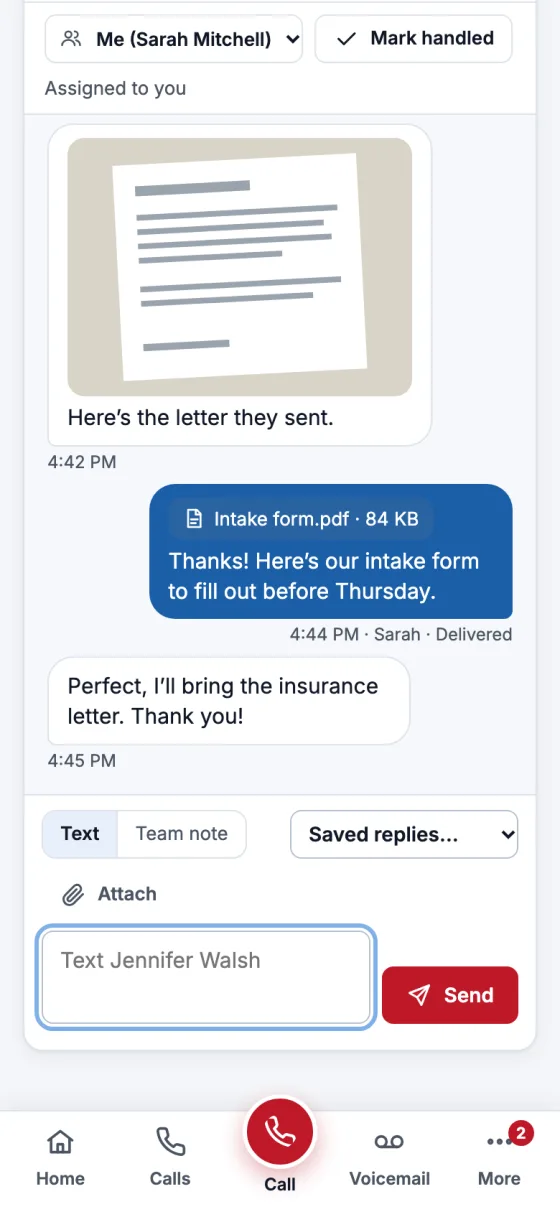
Freedom Tech Connect: Calls, Texts, Voicemail And Fax In One Place
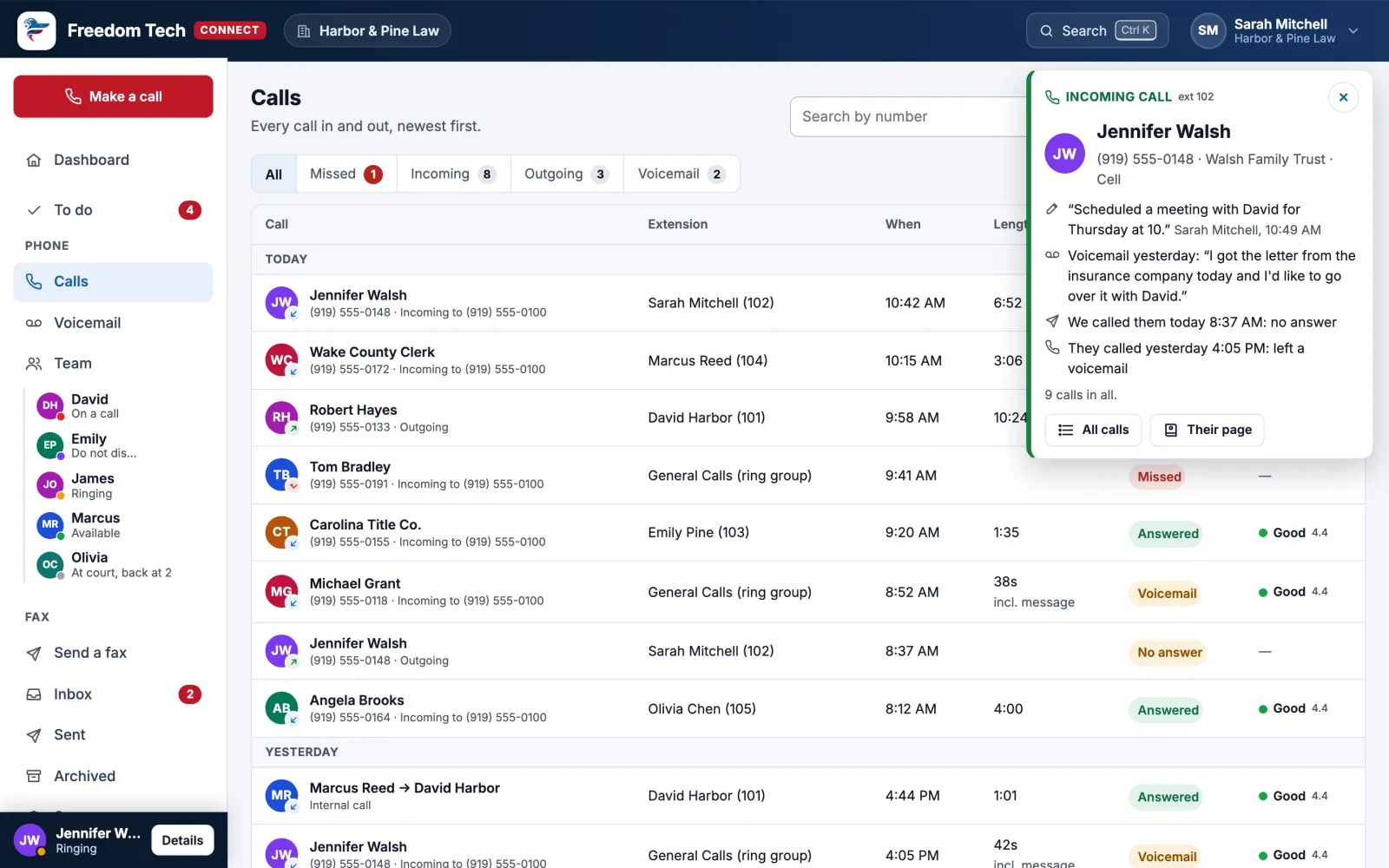
Before you pick up, Connect shows who’s calling and what happened last time. It works in your browser, in Microsoft Teams, and on your phone.
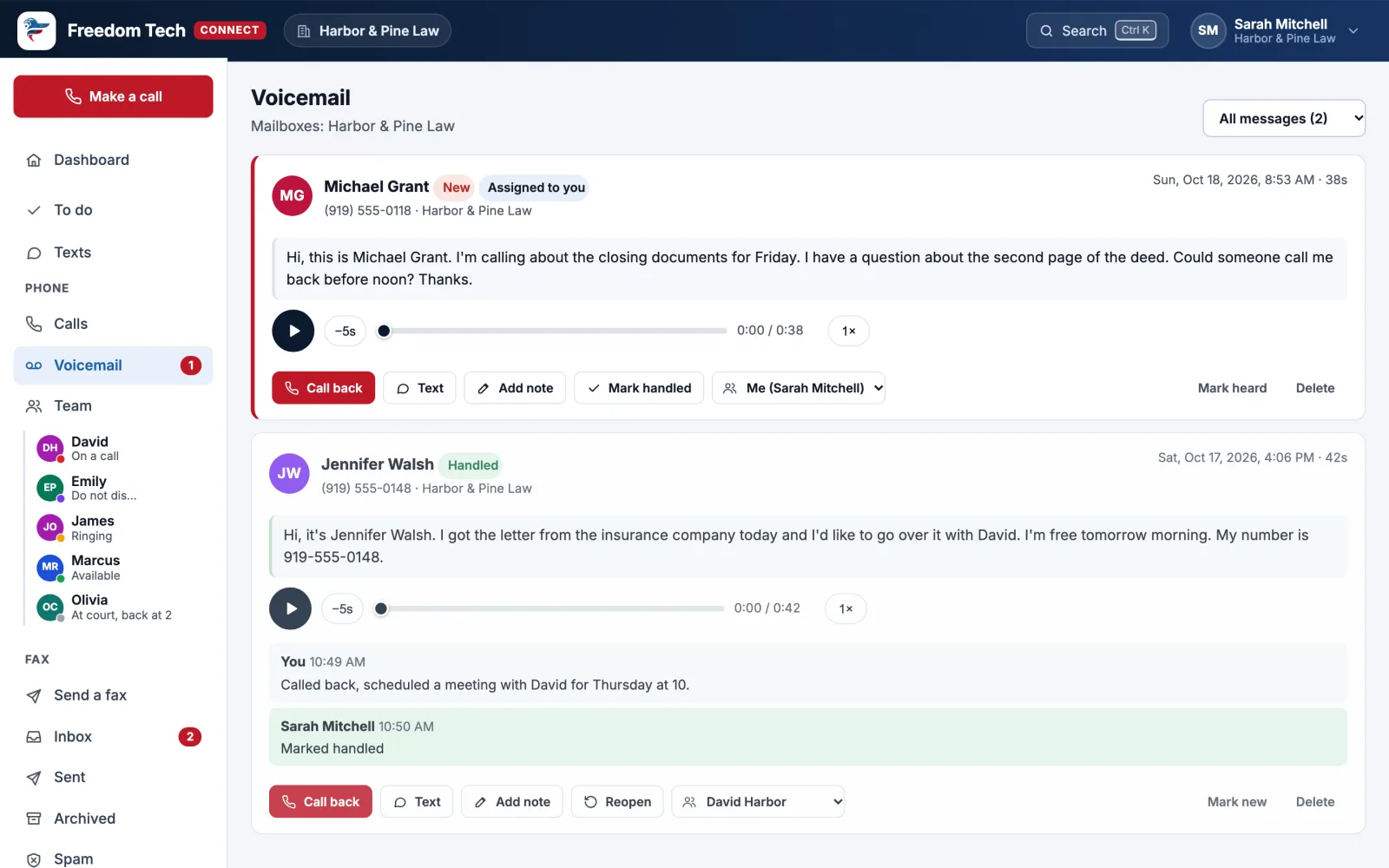
Voicemail you can read
Every message written out, a player with 1.5× and 2× speed, and notes and assignments so nobody calls a client twice.
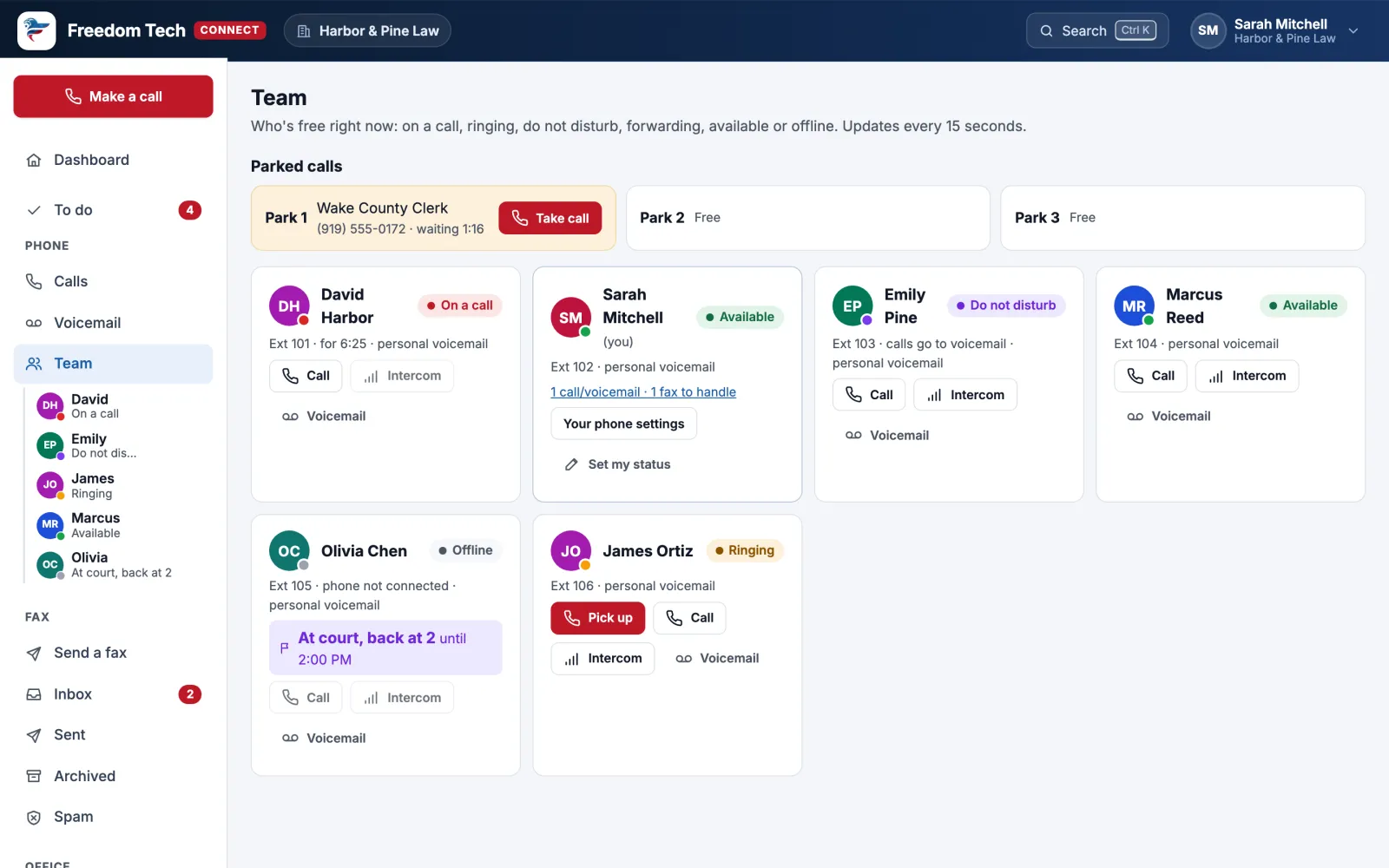
See who’s free
Who’s on a call, ringing, away or in court, with one-click call, intercom and parked calls.
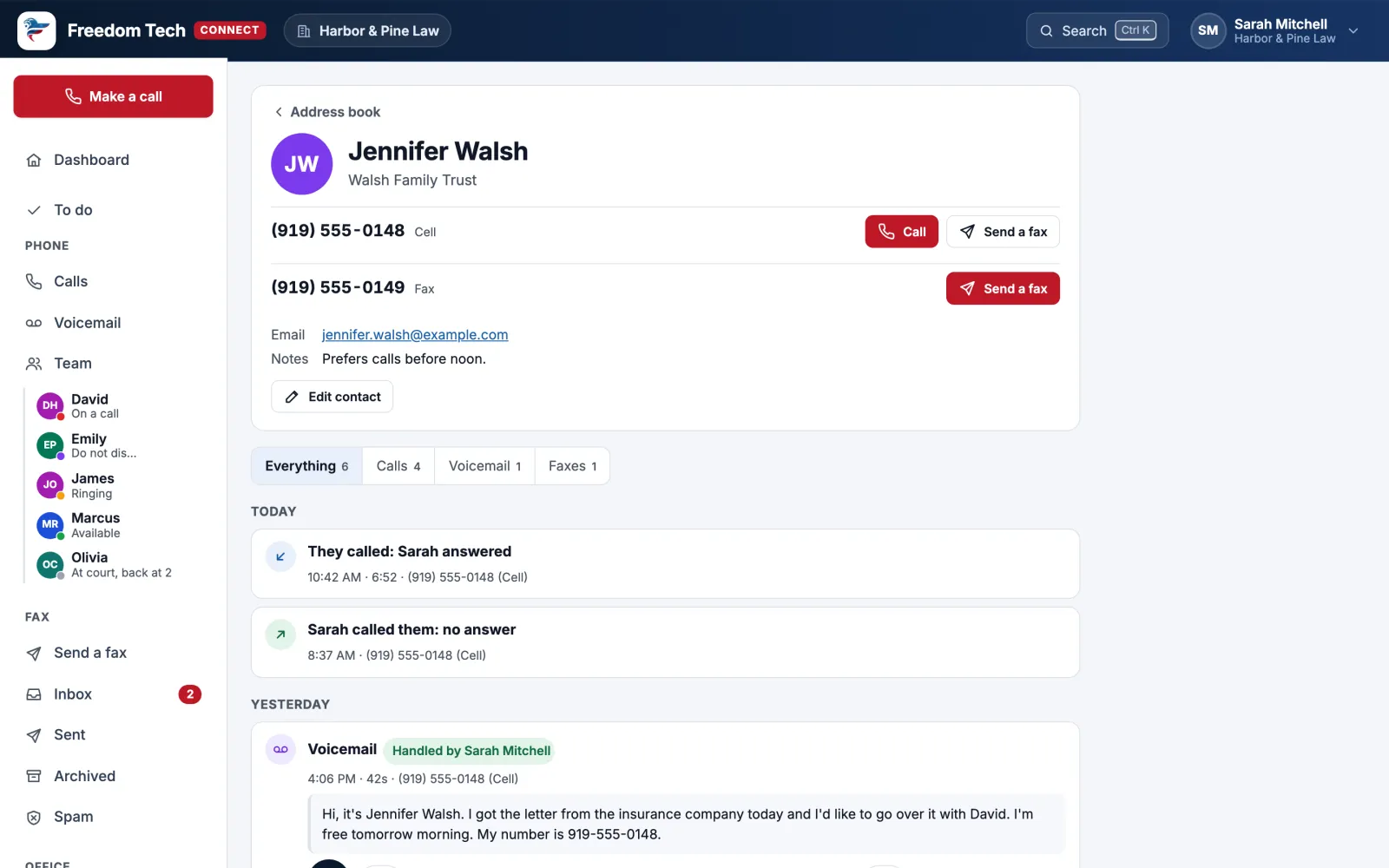
Everything with one person
Every call, voicemail and fax with a client on one page, with who’s following up.
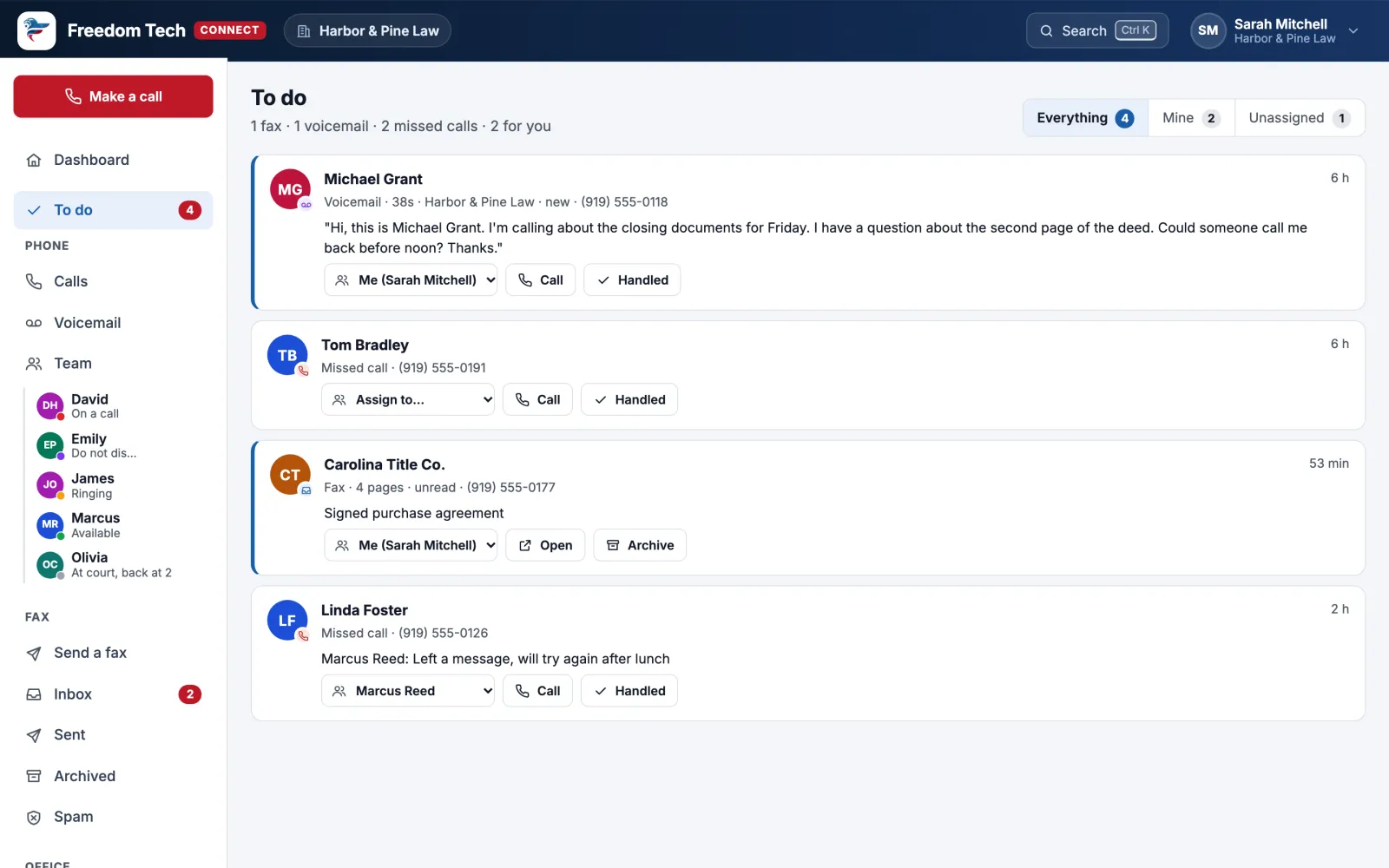
Nothing falls through
Missed calls, voicemails and faxes waiting on someone, in one list with who has each one.
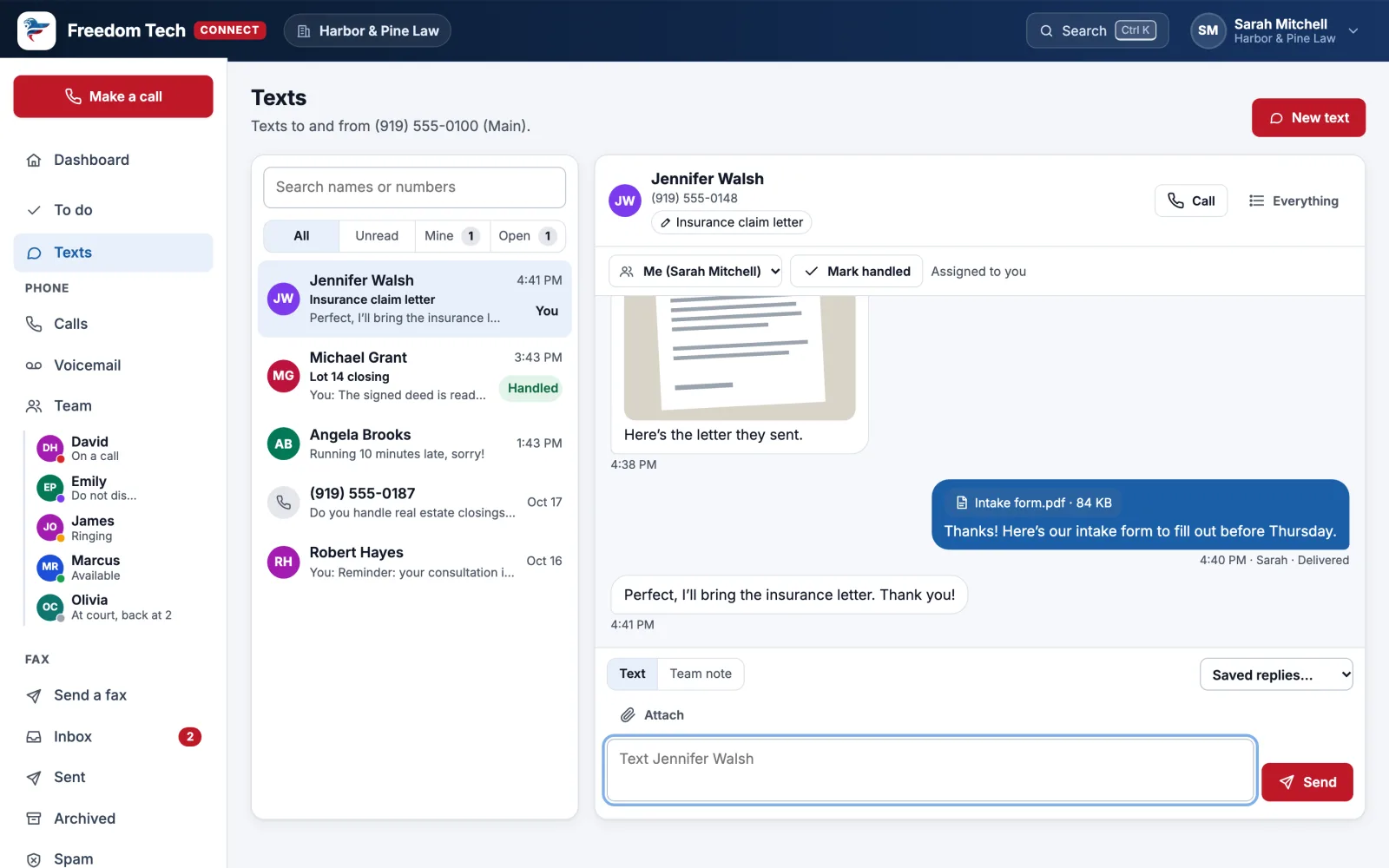
Text from your office number
One shared inbox for the team: give each conversation a topic, send pictures and documents (and see when they’re opened), assign it, leave team-only notes, use saved replies, and reply automatically when you’re closed. STOP requests are honored automatically.
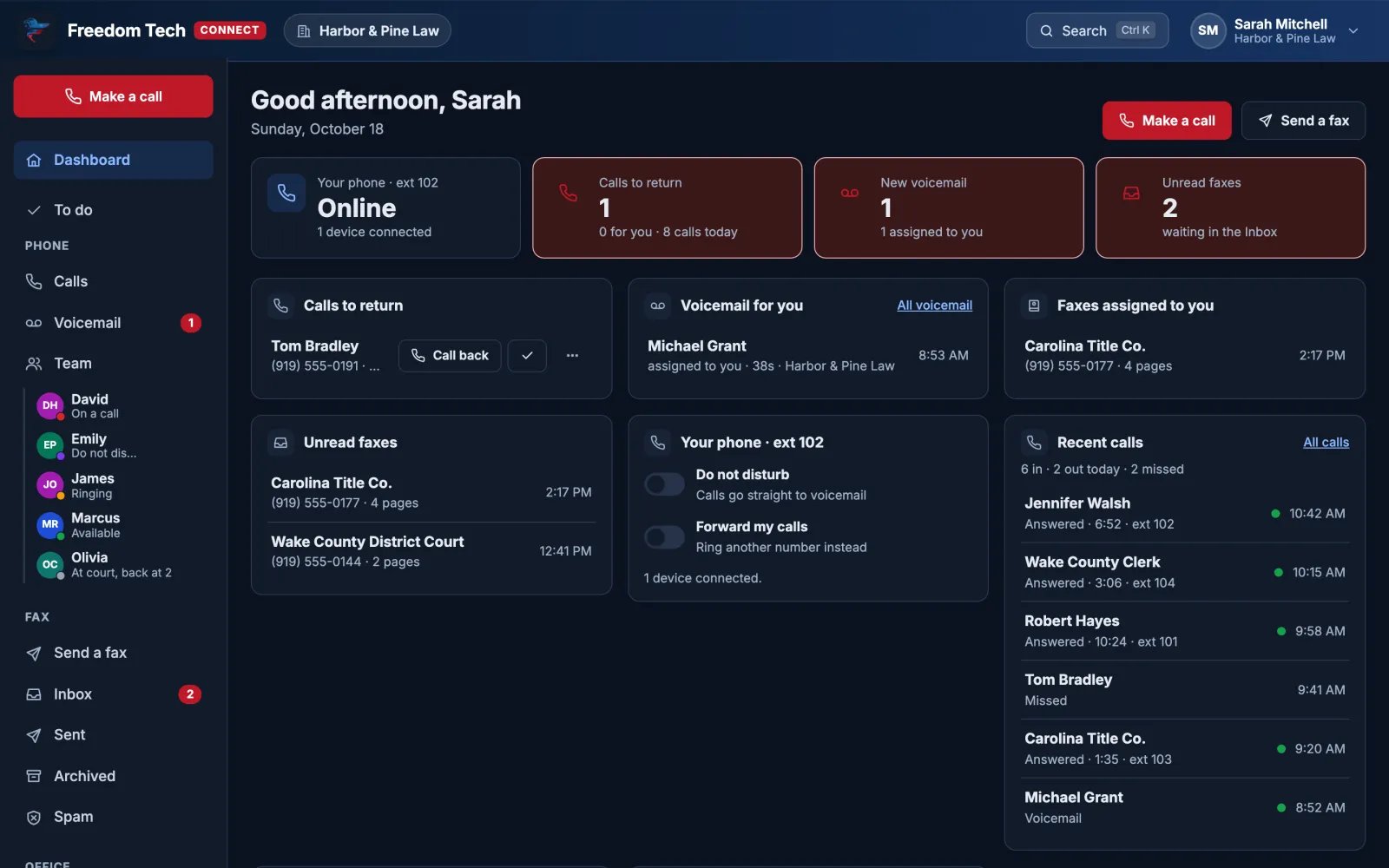
Light or dark
Connect follows your computer’s setting, or you can pick one.
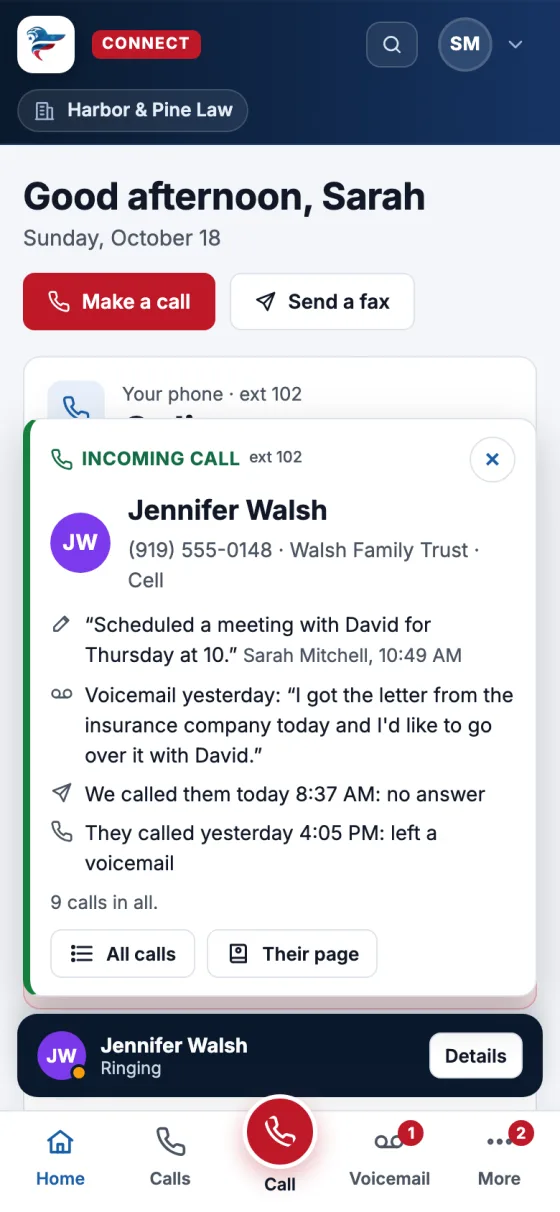
On Your Phone, Too
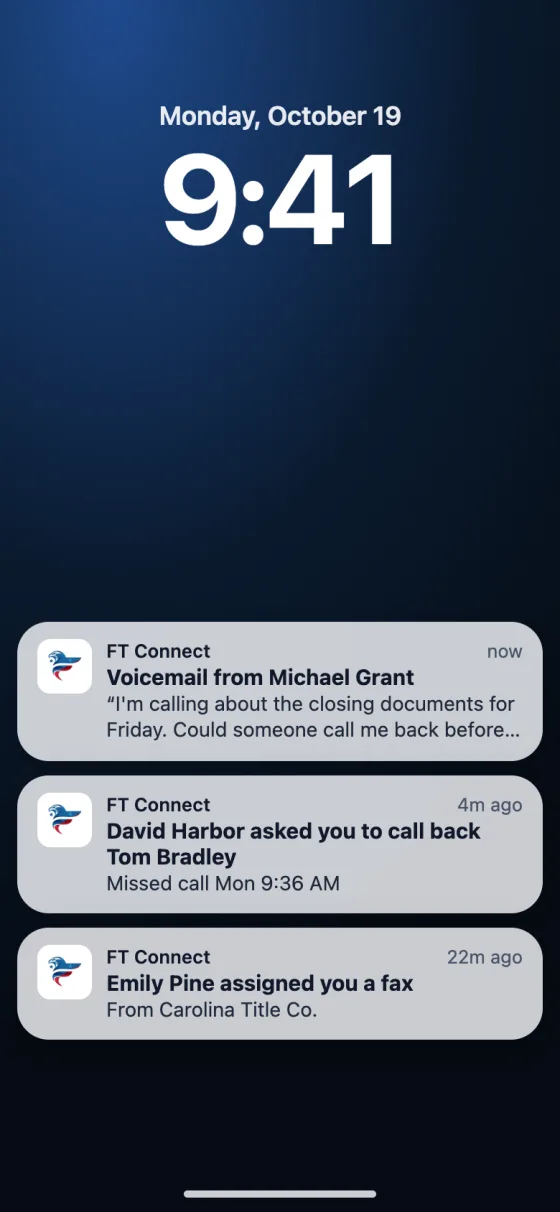
Add Connect to your iPhone or Android home screen and get a notification for each new voicemail, text and anything assigned to you, with the message written out. The same notifications can show in Microsoft Teams.
Inside Microsoft Teams
Open “Phones & Fax” in Teams, already signed in, with your Teams status and desk phone kept in step.
Notifications
On iPhone, Android, your computer, and in the Teams Activity feed.
Fax built in
Send and receive faxes in the same place, no extra portal.
Spam blocking
Report a robocaller once or twice and it never rings again.
Microsoft 365 sign-in
Your work account. No new passwords to manage.
Texting
Business texting from your office number, shared by the team.
PLANS & PRICING
Business phones, priced per user.
Two plans, a 2-phone minimum, automatic volume discounts, and free number porting. Freedom Tech handles setup, changes and support. Estimate your monthly cost below.
People who need their own line · 2-phone minimum per site · 10% off at 25+, 15% off at 75+
Lobby, conference room or warehouse · $15 / month each
Virtual (fax to email) or a fax machine · $10 / month each
Extra local numbers · $3 / month each
Plus per-minute usage · $5 / month each
Phones & accessories (one time)
Or skip desk phones and use the free desktop and mobile apps.
Business desk phone, set up and ready to use · $149 each
Wireless handset for moving around the office, shop or warehouse · $149 each
Professional dual-ear headset with a noise-canceling mic · $99 each
Connect a fax machine, analog phone, door phone or paging system · $99 each
Setup for compatible phones you already own · $15 each
Your Phone Plan
- Business Voice: 2 users$25 per user, 2-phone minimum per site$50
Estimated monthly
$50 / month
Month to month · about $25 per user
Save up to $9.50 more each month with a 3-year agreement paid in advance. Choose your term in the full plan builder.
Lock In This Price NowManaged IT, network, websites and more, with your phones carried over.
Estimates use our published prices and don't include taxes or telecom regulatory fees. Your final quote is confirmed after a review with our team.
Not sure what you pay now? Send us your bill for a free review.HOW IT WORKS
Discover → Design → Deploy → Port → Train → Support
A repeatable operating model gives the technology a purpose and makes improvement measurable.
Discover
Step 1 of 6
Design
Step 2 of 6
Deploy
Step 3 of 6
Port
Step 4 of 6
Train
Step 5 of 6
Support
Step 6 of 6
CAPABILITIES
What's included
CONNECTED SERVICES
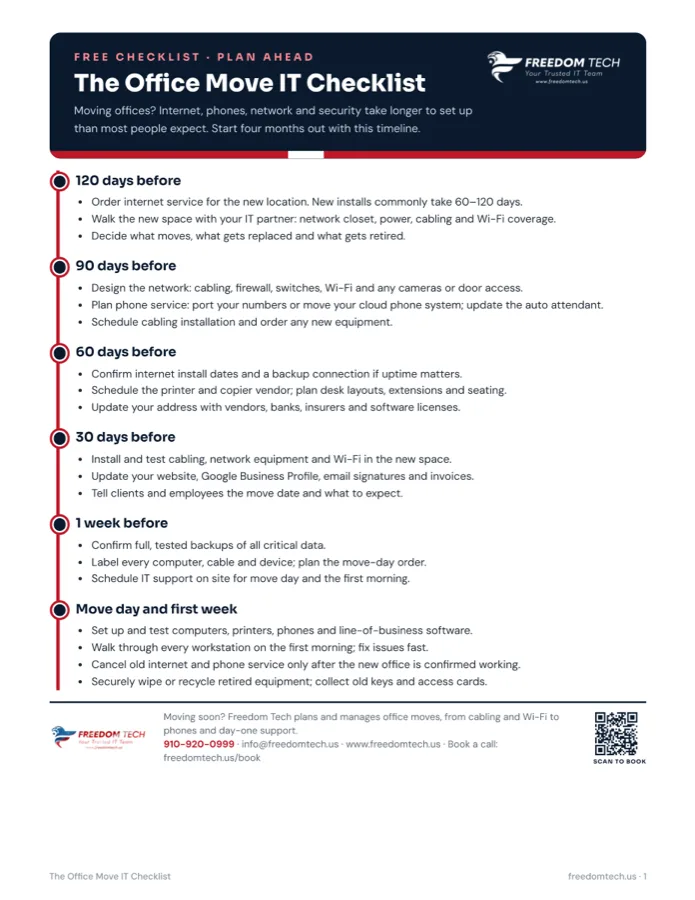
Free Checklist · Plan Ahead
The Office Move IT Checklist
A 120-day IT timeline for moving offices: internet, network, phones, cabling and day-one support.

Make business communications & voip part of one connected technology strategy.
Tell us what your organization needs to accomplish. We’ll help determine the right technology path. Book a 10-minute call, or call 910-920-0999.